


Kotak
Stockshaala
Chapter 2 | 2 min read
Retirement Corpus Calculation
Retirement planning is crucial to ensure you have enough savings to sustain your lifestyle when you no longer work. The retirement corpus is the total amount of money you need to accumulate by retirement to cover your expenses for the rest of your life. In this chapter, we will guide you through calculating your retirement corpus using Excel, incorporating factors such as inflation, life expectancy, and post-retirement returns.
What is Retirement Corpus?
The retirement corpus is the total savings required to generate a sufficient income stream during retirement. It is calculated based on projected expenses, adjusted for inflation, and the expected rate of return on investments.
Step-by-Step Guide: Calculating Retirement Corpus in Excel
Step 1: Estimate Annual Expenses in Retirement
First, estimate how much you will need to cover living expenses during retirement, including housing, healthcare, and daily living expenses. Let’s assume you estimate ₹50,000 in annual expenses.
Step 2: Adjust for Inflation
Inflation erodes the purchasing power of money over time, so it's essential to account for it in your retirement planning. Use the FV (Future Value) function to estimate your future expenses by the time you retire. Assume:
-
Current expenses: ₹50,000
-
Inflation rate: 3%
-
Years until retirement: 20
The Excel formula to calculate future expenses is: =FV(3%, 20, 0, -50000)
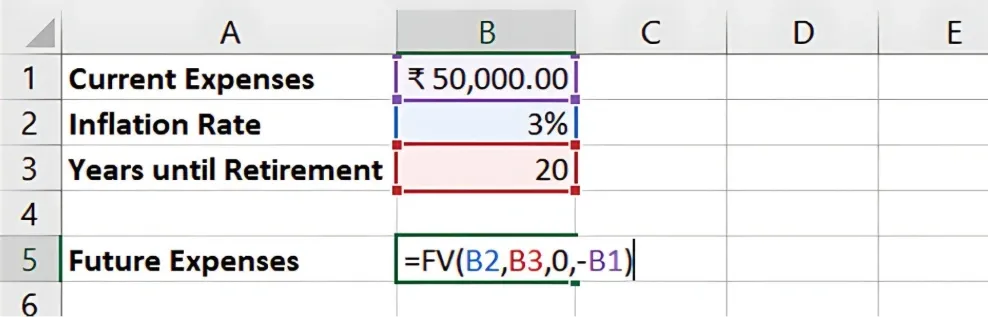
Result: Your annual expenses at retirement will be ₹90,305.
Step 3: Estimate Retirement Duration
Next, estimate how long you expect to live in retirement. If you plan to retire at age 65 and expect to live until 85, you will need to plan for 20 years of retirement.
Step 4: Calculate Total Corpus Needed
To calculate the total corpus, use the Excel PV (Present Value) function to estimate how much you need at retirement, considering investment returns after retirement.
Assume:
-
Retirement duration: 20 years
-
Post-retirement return: 6%
The formula for the retirement corpus is: =PV(6%/1, 20, -90305)
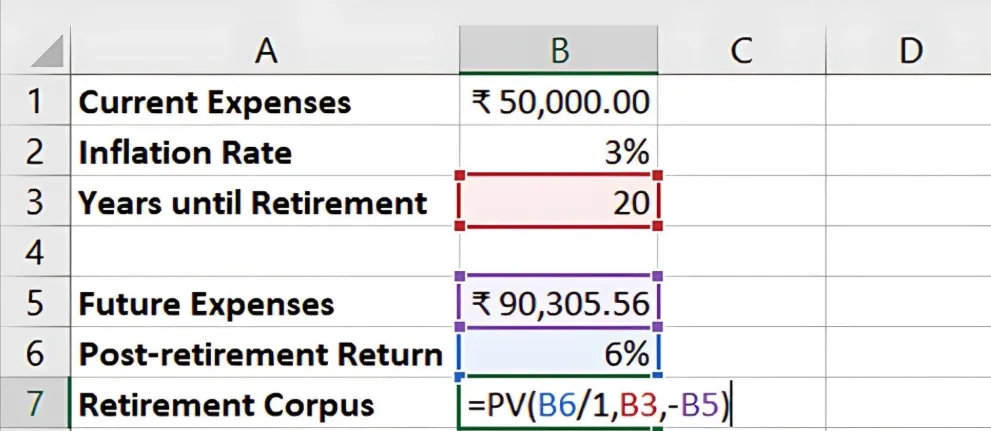
Result: You’ll need a retirement corpus of approximately ₹10,35,797.68.
Step 5: Calculate Monthly Savings Required
Use the PMT function in Excel to determine how much you need to save each month to accumulate your corpus.
Assume:
-
Required corpus: ₹10,35,797.68
-
Investment return: 7%
-
Years to save: 20
The formula is: =PMT(7%/12, 20*12, 0, -10,35,797.68)
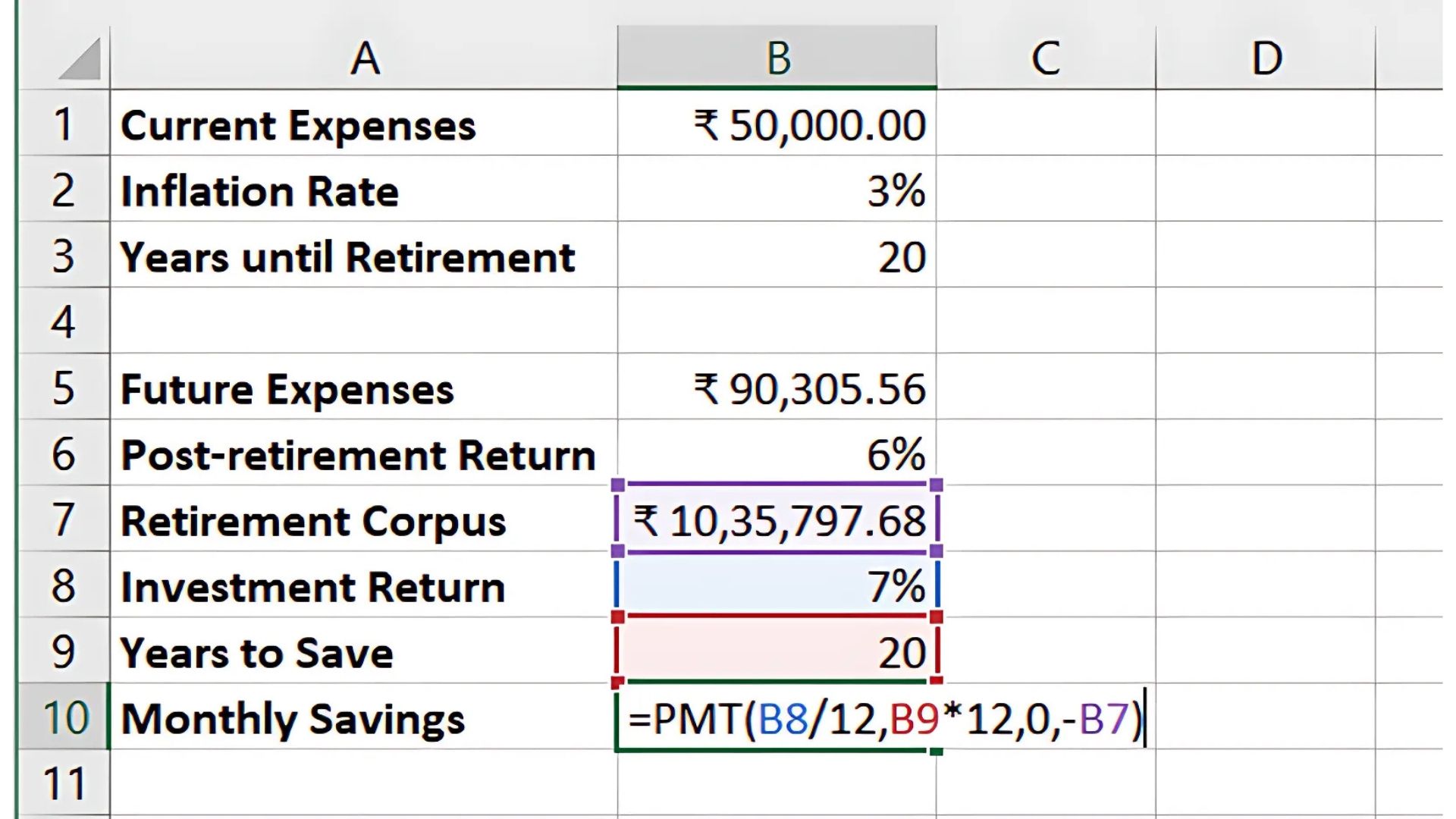
Result: You’ll need to save approximately ₹1,988.38 per month.
Key Takeaways:
-
Estimating your retirement corpus involves adjusting current expenses for inflation and planning for investment returns during retirement.
-
Excel functions such as FV, PV, and PMT make calculating future expenses and monthly savings easy.
-
Regularly updating your plan can help you stay on track for your retirement goals.
Conclusion:
Planning for retirement requires understanding how inflation, expenses, and investment returns affect your savings goal. Using Excel to calculate your retirement corpus and savings needs, you can create a clear roadmap to achieve financial security in retirement.
Next Chapter Preview: In the next chapter, we will explore Saving for Goals: How to Use Excel for Goal-Based Financial Planning. In this chapter, you will learn how to plan for various financial goals such as buying a home, children's education, or vacations by using Excel-based tools for effective goal setting and tracking. Stay tuned!
Recommended Courses for you

















Learn, Invest, and Grow with Kotak Videos
Explore our comprehensive video library that blends expert market insights with Kotak's innovative financial solutions to support your goals.

Trading with collateral as margin with Kotak Neo

How India is Redefining Space Exploration

