
TradeSmart Terminal
Access a wide range of tools, real-time market data, and personalized insights to make informed trading decisions.
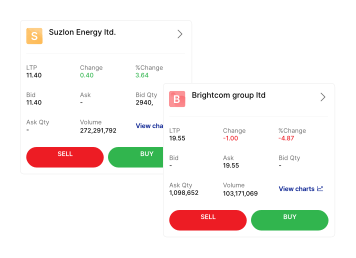
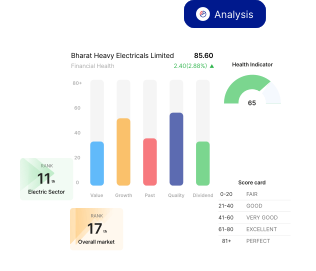
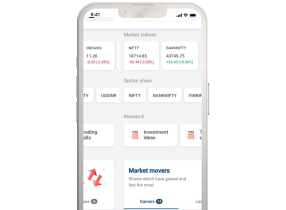
Kotak Neo App
Unlock the power of smart investing on the go! Your gateway to intuitive trading, real-time market updates, and personalized investment strategies.


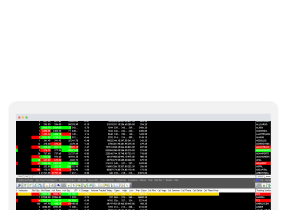
Kotak Nest
Unlock the power of Nest and enjoy seamless access to Kotak Neo. Evolve your experience with a contemporary interface designed to cater to your trading needs.


Still have questions?
The TradeSmart Terminal is freely available to all the customers of Kotak Neo who trade online. The add-on services, i.e., TradeSmart Derivatives, TradeSmart Insights and TradeSmart Trends are chargeable.
Just follow these easy steps:
-
Go to www.kotakneo.com.
-
Click on ‘Login to TradeSmart Terminal’
-
Enter the login credentials
-
Generate ‘Access Code’
-
Select the relevant page in ‘Start In’. Once you log into the terminal, this page will open up.
The TradeSmart Terminal is freely available to all the customers of Kotak Neo who trade online. The add on services, i.e. TradeSmart Derivatives, TradeSmart Insights and TradeSmart Trends are chargeable.
The TradeSmart watchlist offers you 65+ data points for Equity (cash segment), 40+ data points for Futures, and 45+ data points for Options that you can add and track directly from the watchlist.
Yes, you can add Greeks to the watchlist and track it.
Yes, you certainly can. In the top Search bar, click on the drop-down menu and select ‘News’ instead of ‘Quote’. Then type the name of the company in the Search bar. Once you click on the company name, you will find all news related to it.
TradeSmart Terminal smartly categorizes every news item based on sentiment. Positive news are marked in green, while negative news are marked in red.
Go to ‘Markets’ in the top menu bar. Under ‘FO’, you will find the ‘Market’ sub-menu. Click on ‘Future Rollover’ under this sub-menu. Once you click on it, you will get rollover data for all Futures contracts. You can even filter it based on sectors.
You can check Unusual Activities to find Options trading opportunities. Go to ‘Markets’ in the top menu bar. Under ‘FO’, you will find the ‘Market’ sub-menu. Click on ‘Unusual Activities’ under this sub-menu. This screen will provide you Option contracts forming bullish, bearish, neutral, breakout or volatility-based signals.
Some of the unusual activities that the TradeSmart Terminal will help you to track are:
- Unusual Call Volume
- Largest Net Positive Delta
- Highest Put/ Call OI Ratio
- Unusual Open Interest
- Price Loser from Open
- Gap Up/Down on High Volume
- Top Near Expiry IV losers from Open
Yes, you can track Global indices using the TradeSmart Terminal. Go to ‘Markets’ in the top menu bar. Under ‘FO’, you will find ‘Global Indices’