Transferring Within NSDL (NSDL → NSDL)
- 4 min read
- 1,043
- Published 24 Feb 2026
When This Applies:
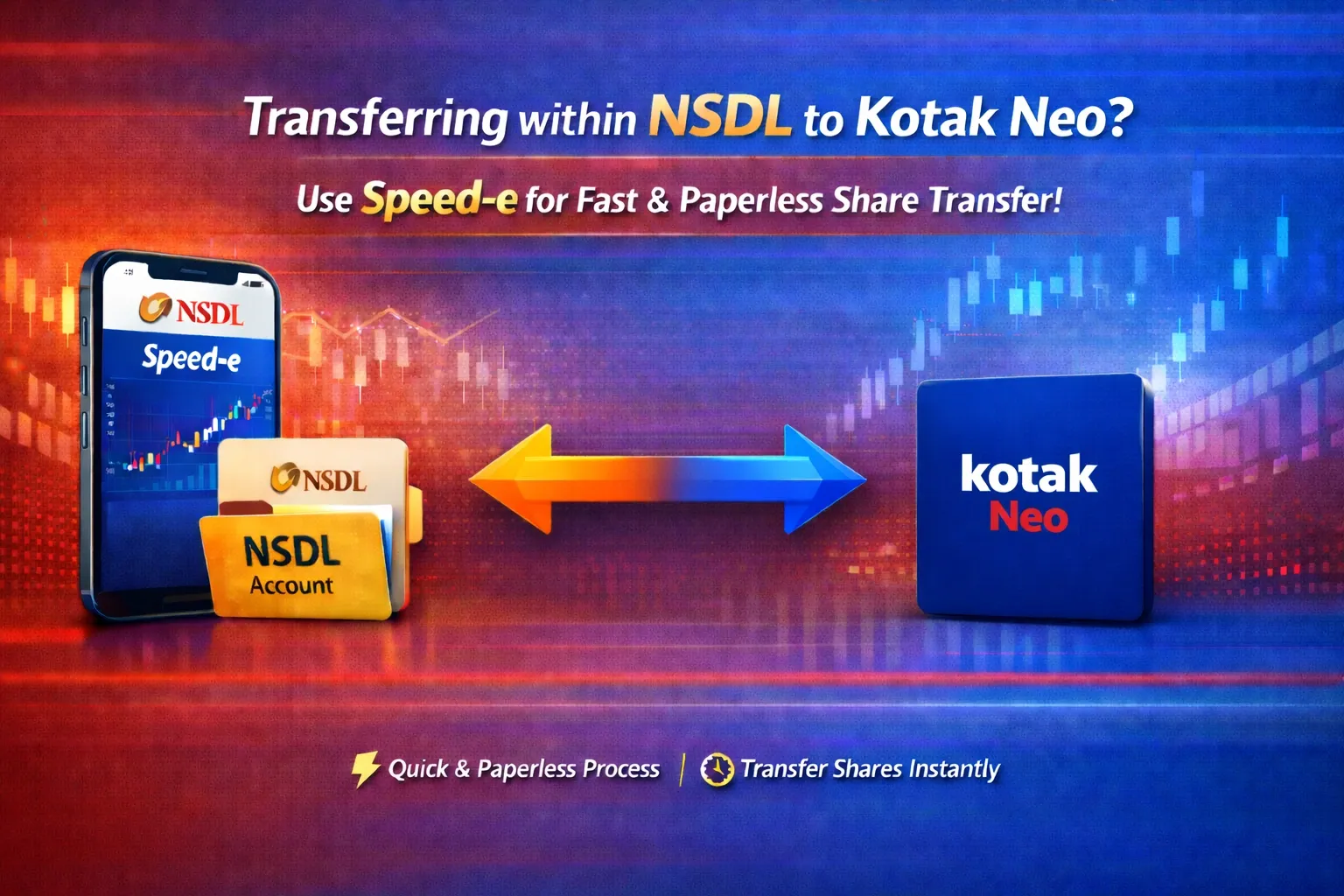
Your old broker uses NSDL AND Kotak (which uses NSDL) – Both accounts are in the same depository.
Online Transfer via NSDL Speed-e (Fastest & Easiest) ⭐
NSDL Speed-e is an online system for transferring shares between NSDL accounts. It’s fast, secure, paperless, and completely digital.
Step 1: Register for NSDL Speed-e (One-Time Setup)
Visit NSDL e-Services:
-
Go to: https://eservices.nsdl.com
-
Look for: “Speed-e Registration” or “New User Registration”
-
Select: “Password User'' (not Smart Card)
-
Click: “Register”
Fill in Your Details:
-
Your DP ID: (Your old broker’s DP ID, e.g., CDSL participant code if applicable, or NSDL if applicable)
-
Your Client ID: 8-digit number
-
Email Address: Your registered email with old broker
-
Mobile Number: Your registered mobile with old broker
-
Create Password: Your chosen Speed-e password (remember this)
What Happens Next:
-
Download the filled registration form (PDF)
-
Send this form to: speede@nsdl.co.in from your registered email address
-
Your old broker’s DP will verify and approve within 1-2 working days
-
You’ll receive an email with your Speed-e login credentials
Save Your Speed-e Login Credentials:
-
User ID: (provided by NSDL)
-
Password: (your created password)
-
Keep these safe – you’ll use them to initiate transfers
Step 2: Log Into NSDL Speed-e
-
Go to: https://eservices.nsdl.com
-
Click: “Speed-e” or “Existing User Login”
-
Enter: Your User ID and Password
-
Complete OTP verification (sent to your registered mobile/email)
-
You should now see your demat account dashboard
Step 3: Add Kotak as a Beneficiary (One-Time)
Before you can transfer shares to Kotak, you must pre-authorize Kotak’s account as a trusted beneficiary:
In Speed-e Dashboard:
- Go to: Inquiries → Add Beneficiary (NSDL)
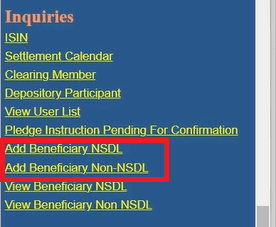
2.Enter the following details:
- DP ID (of target): IN300214 (Kotak’s NSDL DP ID)
- Client ID (of target): Your 8-digit Kotak demat number
- Your PAN: (Should auto-fill; must match your source account)
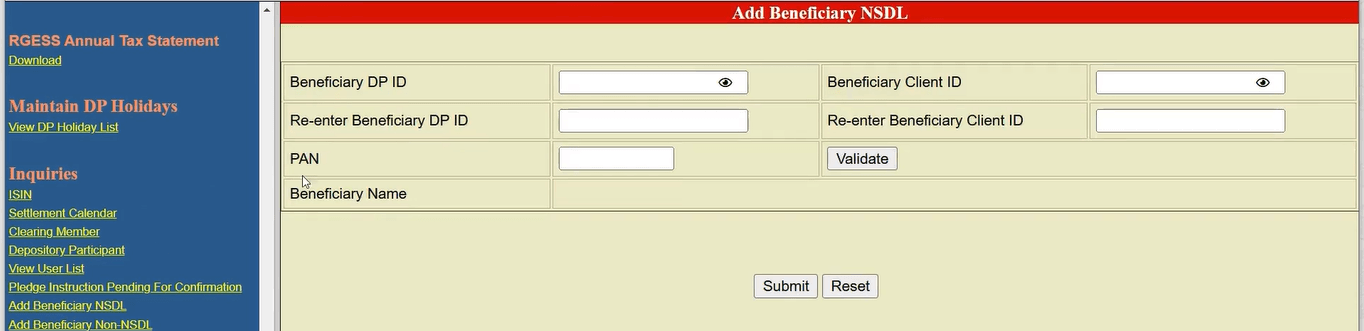
3.Click: Submit
4.Verify with OTP:
-
NSDL will send an OTP to your registered mobile/email
-
Enter the OTP to confirm
-
You should see a success message: “Beneficiary added successfully”
From now on, you can transfer to Kotak anytime without re-adding.
Step 4: Initiate the Share Transfer
In Speed-e Dashboard:
- Go to: Transactions → Submit Instruction → Delivery to Client
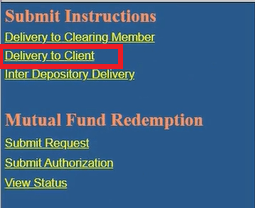
2.Fill in the transfer details:
Execution Date:
-
Today’s date (if submitted before 6 PM on a working day)
-
Or tomorrow/future date
Target Account Details:
-
Counter BO ID: Select your Kotak account from the dropdown (you added it as a beneficiary)
-
Or manually enter: Kotak’s DP ID (IN300214) + Your Client ID
Securities to Transfer:
-
ISIN: Select the stock code (dropdown will show your holdings)
-
Quantity: Number of shares to transfer
-
Repeat for each stock you want to transfer
Reason for Transfer:
-
Select: “Transfer to own account” or “Own Account Transfer”
-
Leave “Consideration Amount” as 0 – no money involved
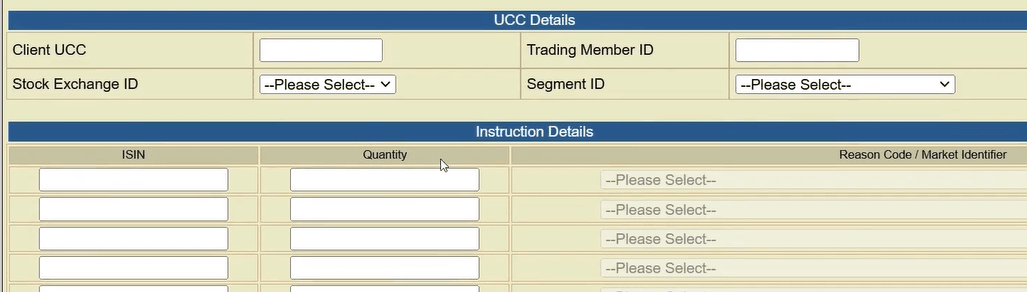
3.Click: Submit
Step 5: Confirm and Receive Confirmation Number
Review Screen:
-
Double-check all details (stocks, quantities, target account)
-
Verify ISIN codes are correct
-
Ensure quantities don’t exceed your holdings
Confirm:
-
Click: Confirm
-
Enter OTP sent to your mobile/email
-
You should see: “Instruction submitted successfully”
-
Note down your Instruction Reference Number (for tracking)
Step 6: Track the Transfer Status
In Speed-e:
- Go to: View/Track Instruction → Delivery to Client
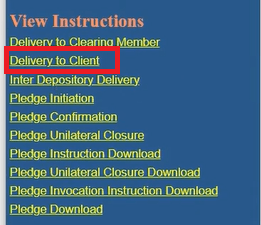
2.Enter your Instruction Reference Number
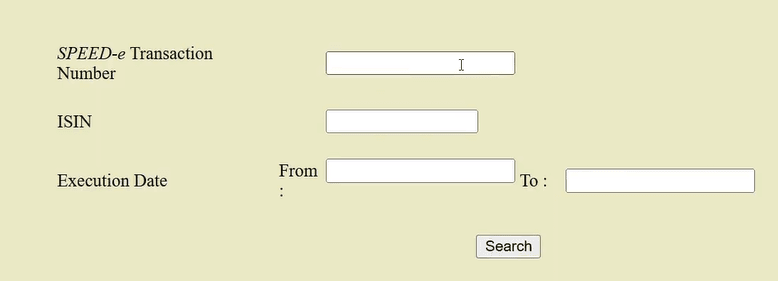
3.Check status:
-
Pending: Instruction received, awaiting processing
-
Executed: Transfer completed
-
Failed: Contact NSDL support
Expected Timeline:
-
Usually executes in 2-3 days
-
You’ll receive an SMS/email from NSDL when completed
Step 7: Verify in Your Kotak Account
Once transferred (check your SMS/email notification):
- Log in to Kotak Neo app/website
- Go to: Portfolio → Investments
- Verify the transferred shares appear
- Check the quantity matches what you transferred
✓Transfer Complete! The shares have moved from your old account to Kotak.
0 people liked this article.