
How do I modify or cancel an order?
- To modify or cancel your cash, MIS orders, go to your Order Book.
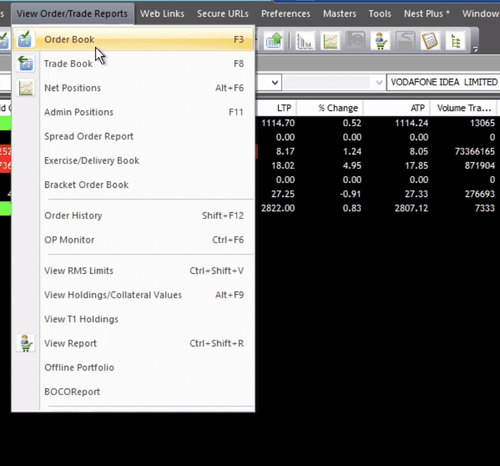
- Click on the modify or cancel options respectively to modify or cancel any open order present in the "Order Book".
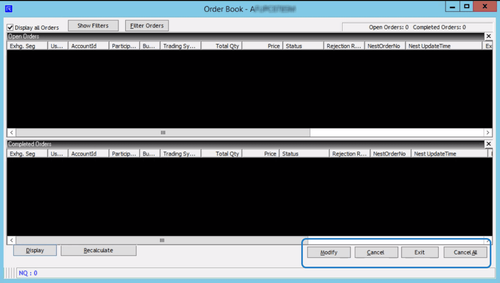
- You can cancel all open orders at one go through the "Cancel All" option.
This feature is not allowed for this platform.
Did you find this helpful?
Yes
Open Demat Account