
How do I add columns in RMS View Limit?
To navigate to RMS View Limit window, check this article.
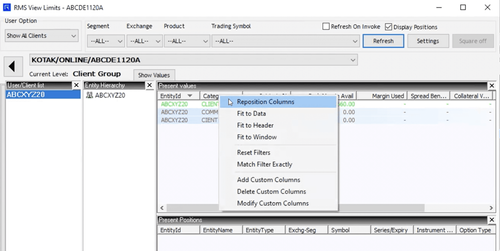
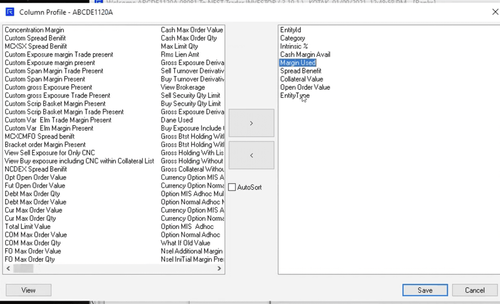
In the RMS View Limit window right-click on the headers below "Present values" and select "Reposition Columns".
RMS View Limit also has the flexibility to add custom columns, wherein you can add mathematical operations. {Path: Right-click on Present Values Header > Select Add Custom columns}
This feature is not allowed for this platform.
Did you find this helpful?
Yes
Open Demat Account
Open Demat Account