
How can I cancel a SIP Instruction?
You can cancel an on-going SIP Instruction at any time.
- If the order for that SIP has already been initiated by Kotak Neo then that order will proceed but all subsequent orders shall be cancelled.
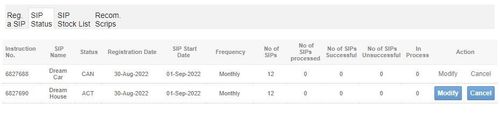
- You can cancel your SIP Instruction by visiting the ‘SIP Status’ page under the Auto-Invest section in your account.

- For SIP Cancellation - Click on SIP Status and Click cancel as given in the below screen:
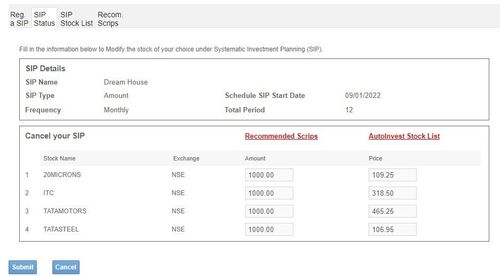
- Once you click on ‘Cancel’ the below screen opens up.
- Click on ‘Submit’ to cancel the SIP.
- Once you cancel a SIP instruction, all future orders to be placed against that SIP instruction would stand canceled.
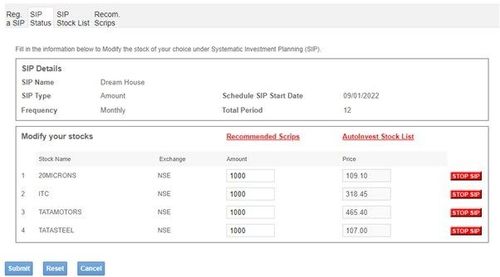
- You can also cancel individual scrip orders in each instruction by clicking on ‘Modify’ and then clicking on ‘stop SIP’
Did you find this helpful?
Yes
Open Demat Account