

Kotak
Stockshaala
Chapter 4 | 2 min read
Mobile vs Desktop: Key Differences
TradingView works beautifully on both mobile and desktop, but they’re not the same. Think of it like watching cricket on your phone vs a big-screen TV. You’ll get the match either way, but the experience changes.
So which one should you use?
Here’s a breakdown of what works best where and why most traders end up using both.
The Desktop Version – For Full Analysis Mode
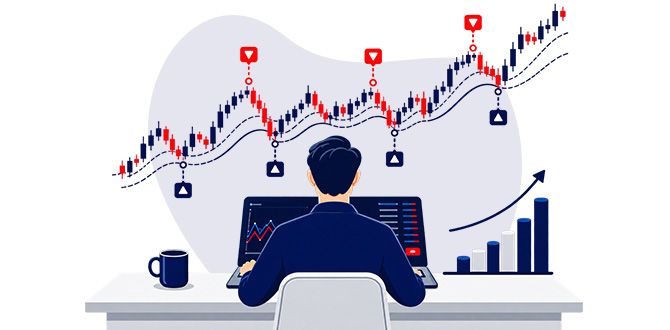
This is where serious traders live. The desktop version is a full-blown experience, and it shows.
Here’s what makes it powerful:
- Bigger chart area – More candles, less scrolling
- Multiple charts on one screen – Compare Nifty, BankNifty, and Dow Jones side by side.
- Custom indicator setups – Drag, resize, colour-code everything the way you like it.
- Pine Scripts™ coding – Full access to Strategy Tester, custom script editor
- Keyboard shortcuts – Save tons of time with hotkeys for drawing, changing timeframes, etc.
Ideal for:
Swing traders, technical analysts, Pine Scripts™ users, or anyone who does deep-dive charting.
The Mobile App – For Monitoring on the Go
The mobile version is surprisingly powerful but best used for tracking, not building setups.
What you can do easily on mobile:
- Check charts and indicators on the move.
- Set or modify price alerts.
- View your saved watchlists.
- React to market movements quickly
What’s limited:
- Drawing tools are clunky on touchscreens.
- Custom layouts and multiple charts are harder to manage.
- Pine Scripts™ tools aren’t editable here, only viewable.
Ideal for:
Quick chart checks, setting alerts, reacting to breakout levels while you’re not near your desk.
Use Case Example
Let’s say you’re planning a trade on BankNifty.
- You analyse the chart in depth using desktop – plotting EMAs, RSI zones, support/resistance, etc.
- You save the setup and set alerts near your key levels.
- Later, you get the alert on mobile and check if it’s a valid entry.
- You execute the trade using your broker app.
That’s the hybrid approach most traders follow: Analyse on desktop. Act on mobile.
Pro Tip
Even if you’re a mobile-first user today, try building setups on desktop at least once a week. It sharpens your view and lets you think bigger than what fits on a phone screen.
Summary
Feature | Desktop | Mobile |
|---|---|---|
Charting Space | Full screen + multi-chart | Limited to one chart |
Drawing Tools | Easy and precise | Touch-based, less accurate |
Screener | Full access | Basic filtering only |
Pine Scripts™ | Editable & testable | Only viewable |
Alerts | Full control | Receive + quick edits |
In short, use mobile to stay connected.
Use desktop to stay prepared.
Together, they make you a sharper, faster, and better trader.
Next up: we dive into chart types — candlesticks, lines, Heikin-Ashi and when to use what. Let’s go!
Disclaimer: This article is for informational purposes only and does not constitute financial advice. It is not produced by the desk of the Kotak Neo Research Team, nor is it a report published by the Kotak Neo Research Team. The information presented is compiled from several secondary sources available on the internet and may change over time. Investors should conduct their own research and consult with financial professionals before making any investment decisions. Read the full disclaimer here.
Investments in securities market are subject to market risks, read all the related documents carefully before investing. Brokerage will not exceed SEBI prescribed limit. The securities are quoted as an example and not as a recommendation. SEBI Registration No-INZ000200137 Member Id NSE-08081; BSE-673; MSE-1024, MCX-56285, NCDEX-1262.
Recommended Courses for you

















Learn, Invest, and Grow with Kotak Videos
Explore our comprehensive video library that blends expert market insights with Kotak's innovative financial solutions to support your goals.

Trading with collateral as margin with Kotak Neo

How India is Redefining Space Exploration

