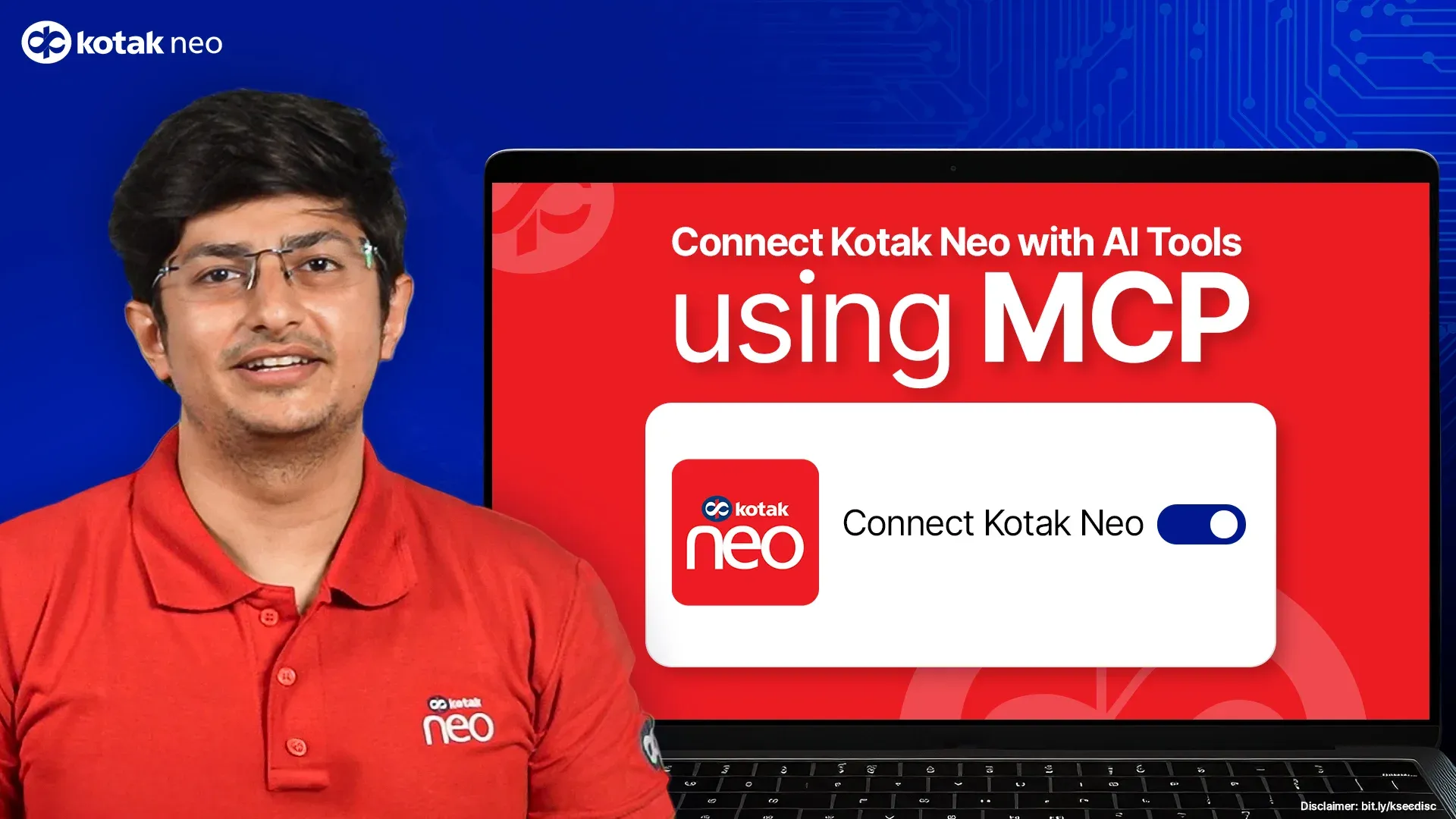
Kotak Neo Launches MCP
Your AI-Powered Trading Companion
What is MCP?
Key Benefits
How MCP helps you?
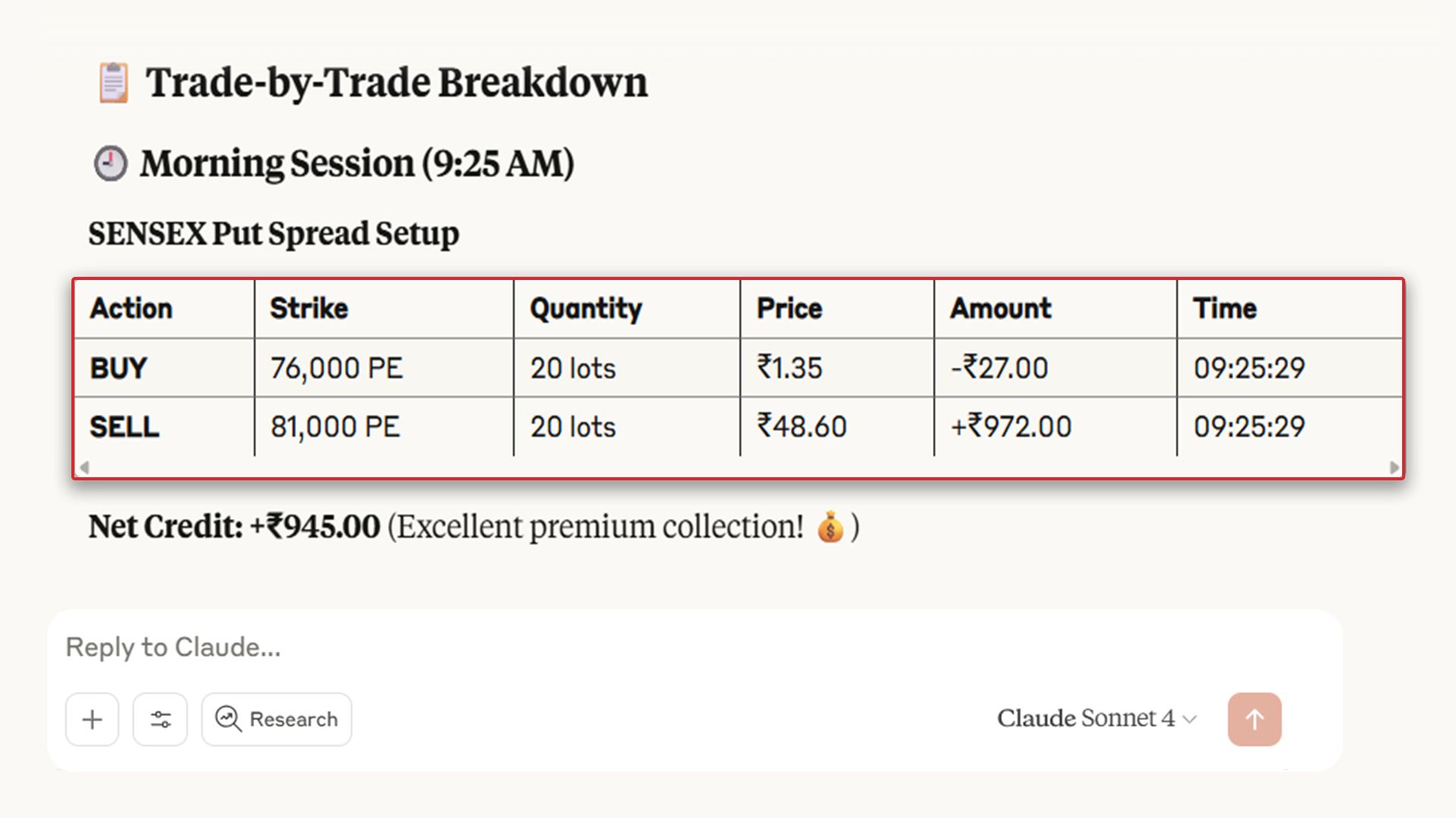
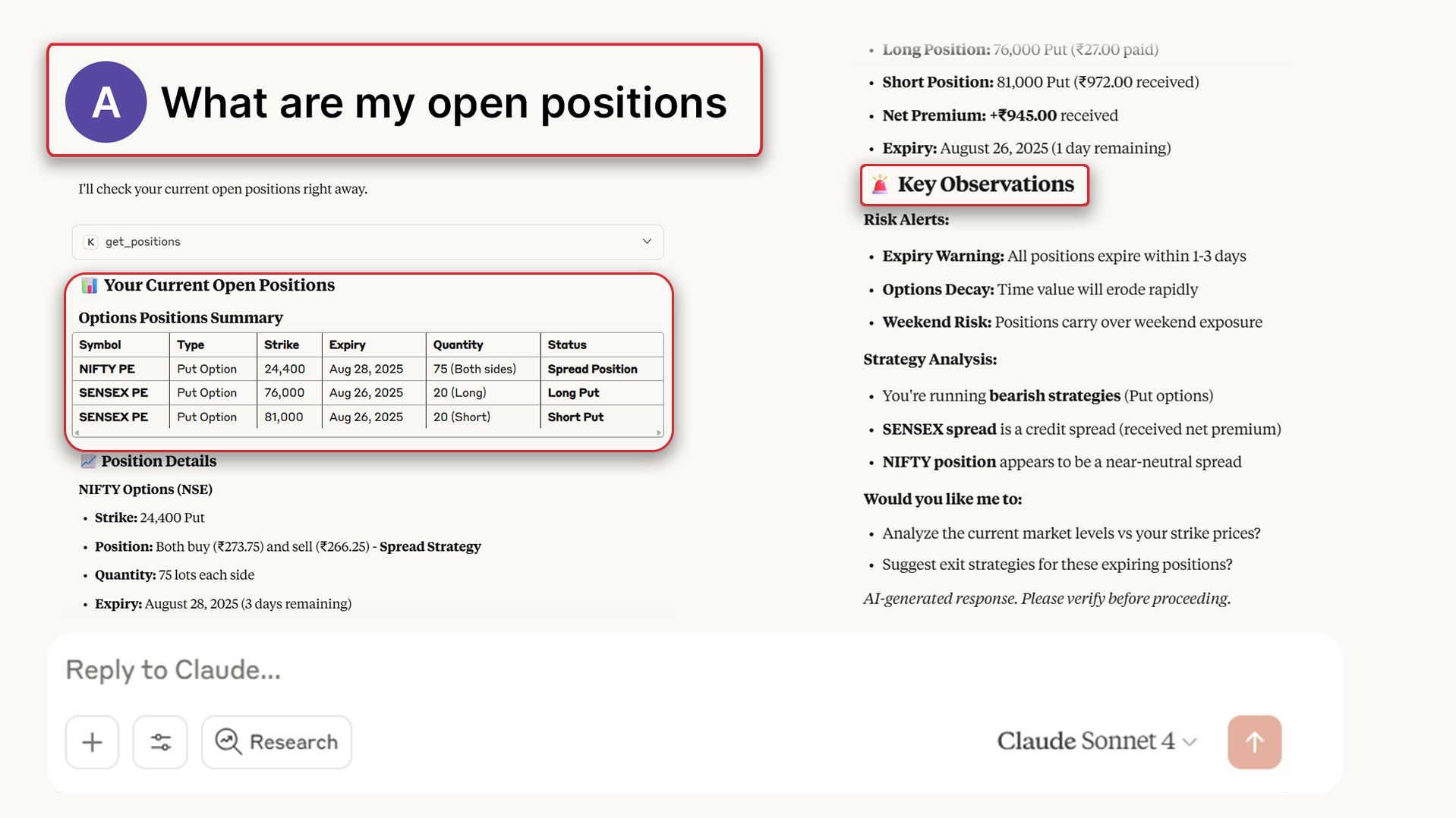
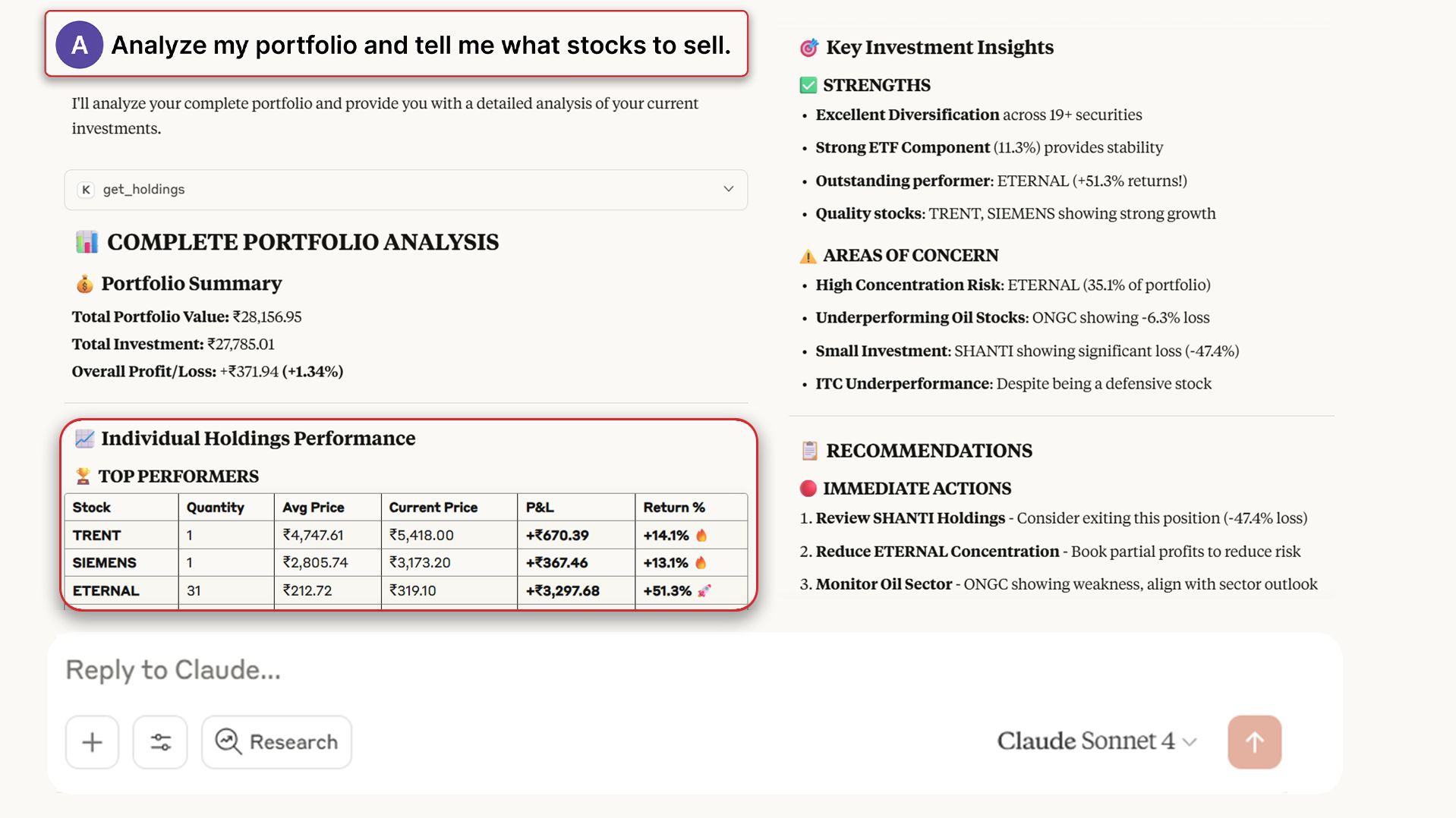
Set Up MCP on Claude / Cursor
Get Started in Just 3 Quick Steps
1️⃣Install software
- Download & install Node.js > Click Here
- Download & install Claude Desktop > Click Here OR
Cursor > Click Here
Download anytime, with no added cost
2️⃣Update and Save Config File
Claude
- Open Claude Desktop App.
- Navigate to Files > Settings > Developer > Edit Config.
- Open the file named claude_desktop_config with Notepad (Windows) or TextEdit (Mac).
- Copy-paste the provided config code into the file, replacing any existing content.
- Save the file and close the editor.
- Restart Claude to apply the changes:
- Windows: In Claude, go to File > Exit, then reopen the app.
- Mac: In the top menu bar, click Claude > Quit Claude, then reopen the app.
Cursor
- Open Cursor App.
- Navigate to Settings > Tools & Integrations.
- Click Add Custom MCP.
- Copy-paste the provided config code into the editor.
- Save the configuration and close the editor.
- Restart Cursor App:
- Once done, you’ll see “kotak-neo” listed under the MCP tools section.
{
  "mcpServers": {
    "kotak-neo": {
      "command": "npx",
      "args": [
        "mcp-remote",
        "https://neo.kotaksecurities.com/mcp-server/mcp"
      ]
    }
  }
}3️⃣Authenticate with Kotak Neo
- In a new chat, type: Login to Kotak Neo
- In chat, enter your UCC / Client Code when prompted.
- Claude/Cursor will share a login hyperlink → click it.
- A Kotak webpage opens on your desktop with a QR code.
- On your Kotak Neo App (mobile):
- Open the app
- Tap the Profile Icon (top-right)
- Select Web Login
- Scan the QR code shown on your desktop
- The page will confirm Success.
Return to the same chat and type Done.
✅ You’re all set — MCP is now live inside your AI tool.
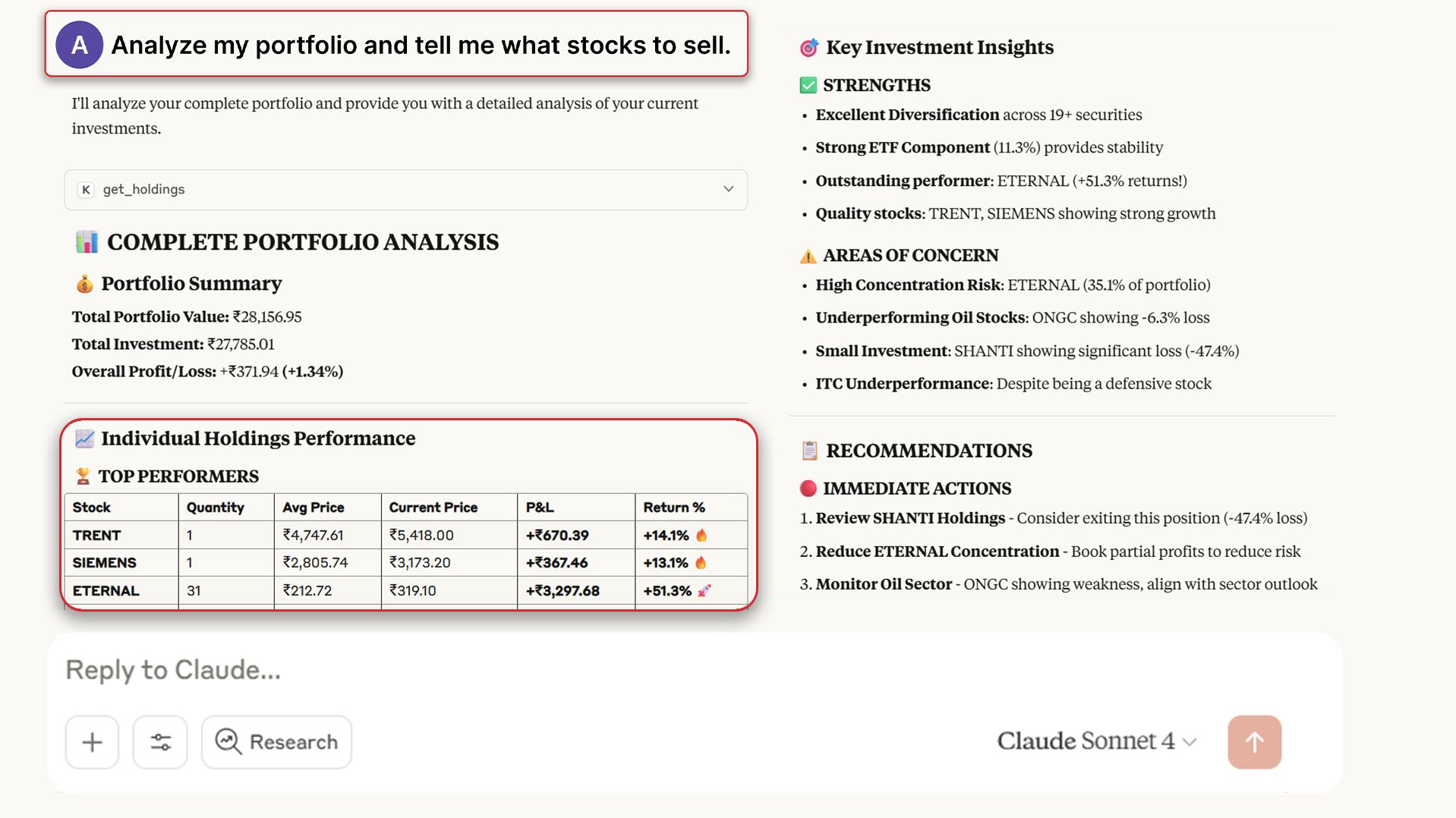
Analyse your portfolio, review your trades, and access expert research recommendation instantly.
Got questions? We’ve got answers
MCP stands for Model Context Protocol. It connects applications or data sources with an AI model so the AI can fetch information, perform actions, or answer questions based on real data. In simple words, MCP is the bridge between an AI assistant and the tools or data it needs.
MCP integrates seamlessly with Claude and Cursor advanced AI capabilities, allowing investors to perform comprehensive portfolio analysis without navigating complex dashboards or spreadsheets. Users can query their holdings, analyze trading patterns, review order books, check position summaries, and access Kotak's proprietary research recommendations – all through conversational commands.
Key capabilities include:
- Real-time Portfolio Analysis: Instant insights into portfolio performance, asset allocation, and risk metrics
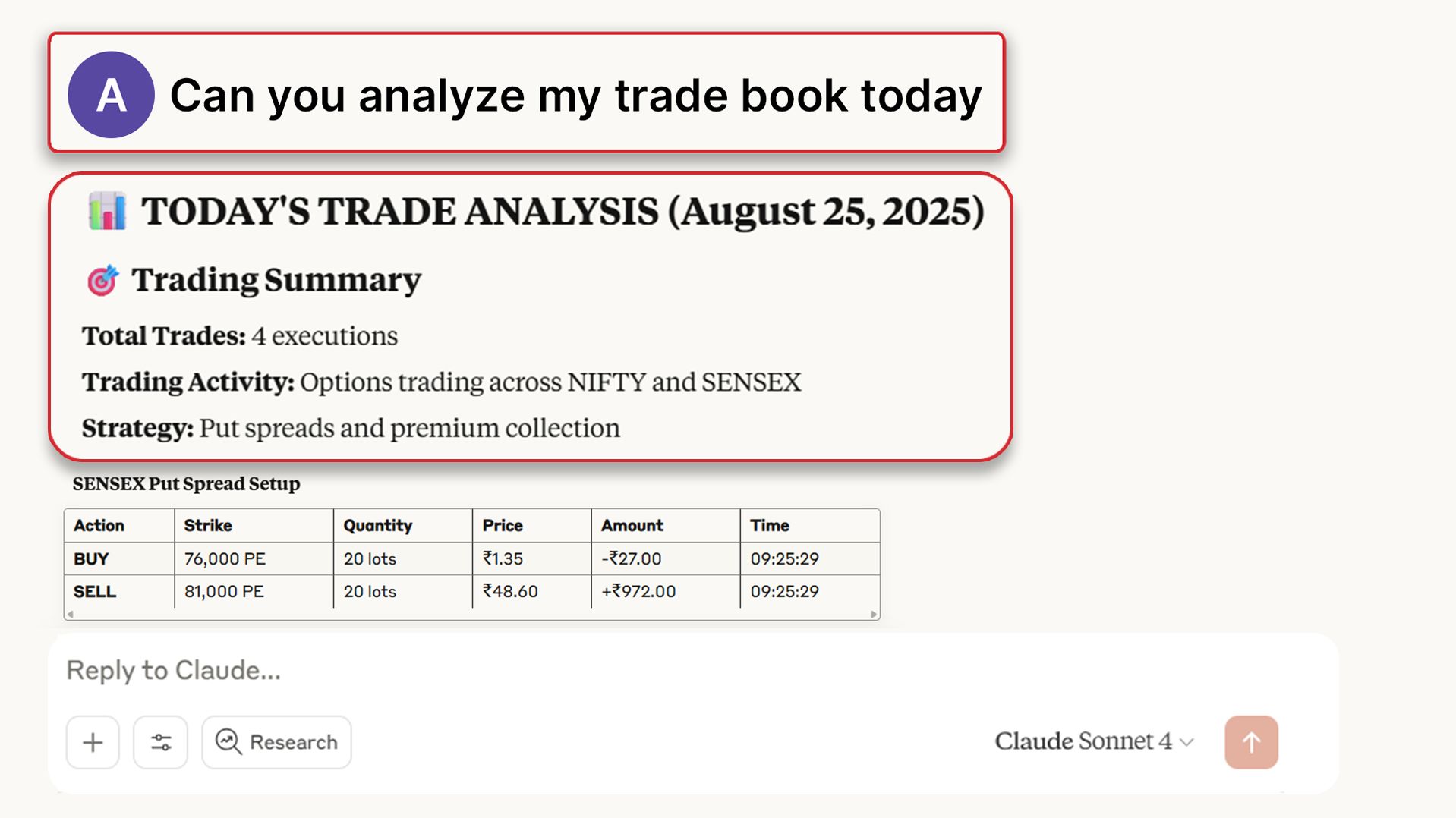
- Intelligent Trade Book Review: Pattern recognition and trading style analysis to improve decision-making
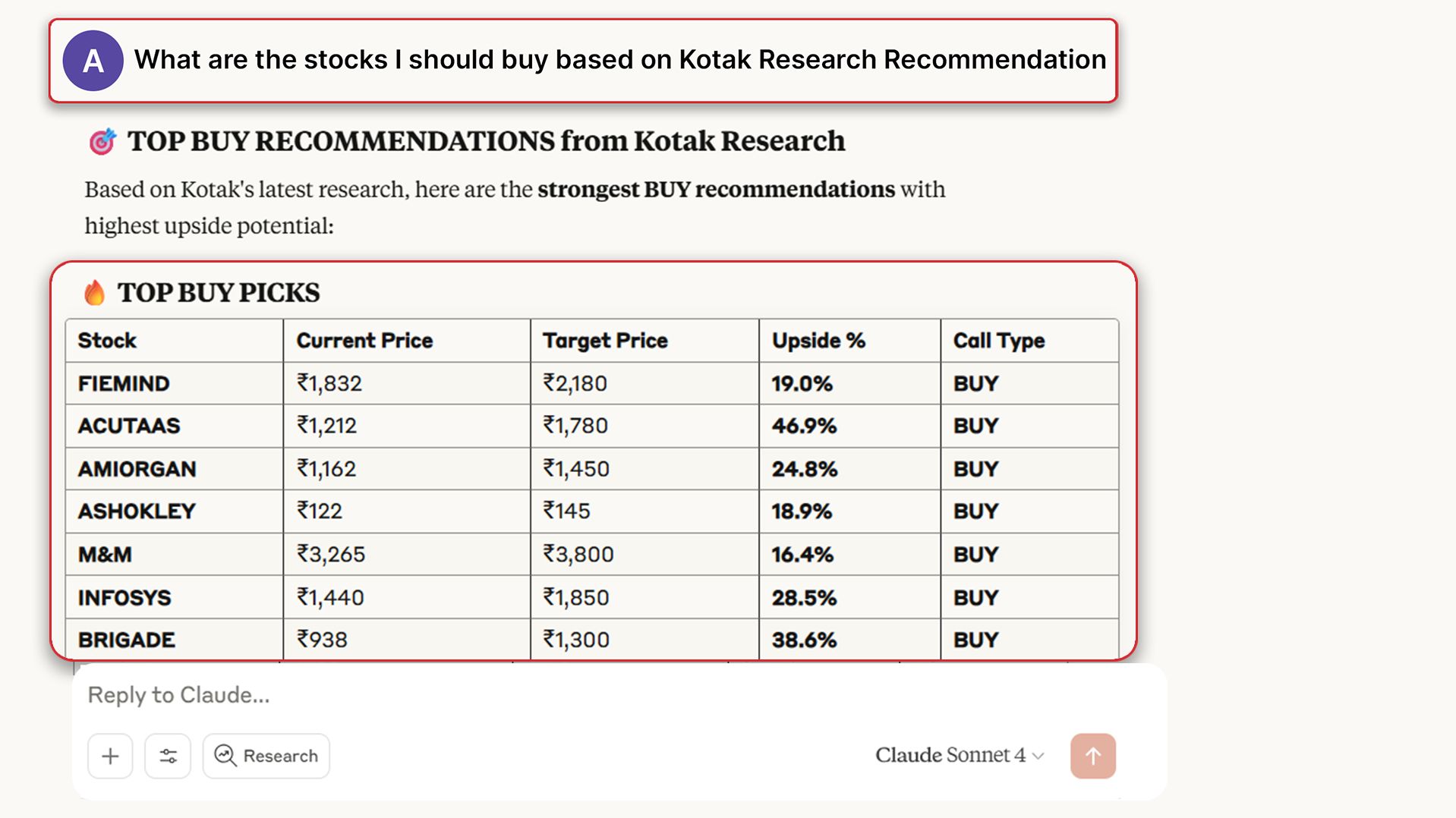
- Integrated Research Access: Kotak's proprietary research recommendations contextually applied to user portfolios
- Market Data Integration: Live contract prices, order book status, and position tracking
- Natural Language Queries: Complex financial analysis through simple conversational prompts
MCP eliminates the tedious process of manually analyzing investment data across multiple screens and spreadsheets. Key advantages include:
- Time-saving: Get complex analysis instantly through simple questions
- Personalized insights: AI-powered analysis tailored to your specific portfolio
- Research integration: Kotak's expert research automatically applied to your holdings
- Conversational interface: No need to learn complex dashboard navigation
- Comprehensive view: Unified access to all your trading data and research
Security First
No, order placement and modification are not available through MCP for enhanced security reasons. This ensures:
- Account Protection: Prevents unauthorized transactions
- Data Safety: Reduces risk of accidental order execution
- Controlled Environment: Trading actions remain within Kotak's secure, tested interfaces
For placing orders, please continue using the Kotak Neo trading platform's dedicated trading interface, which provides comprehensive order management with full security protocols.
Read-Only Access
No, Claude or Cursor does not have direct access to your Kotak account. Here's how your data security is maintained:
- Read-Only Data Sharing: Claude or Cursor only receives non-sensitive, read-only information needed to answer your queries
- Secure API Integration: Data flows through Kotak's secure authentication systems
- No Sensitive Information: Critical details like MPIN, passwords, OTPs, or login credentials are never shared with AI tools
- Minimal Data Transfer: Only essential information (holdings, orders, research summaries) required for your query is transmitted
- Step 1 - Install Node.js and the Claude Desktop App/Cursor.
- Step 2 - Copy the provided config code and add it to the config file.
- Step 3 - Restart the respective AI tool.
- Step 4 - Start a new chat and type “Login to Kotak Neo”, then follow the login instructions shown by the AI tool.
- Step 5 - Open the Kotak Neo Mobile App → go to Web Login → scan the QR code. Return to the same chat and type Done. You're all set — MCP is now live and ready to use in your AI tool. You can access MCP by logging in with your Kotak credentials. Watch this quick video to learn how to access MCP: Watch Now
MCP fetches real-time information through secure APIs. If you notice outdated or incorrect data:
- Refresh the session: Try asking the question again
- Re-authenticate: Log out and log back in to refresh your data connection
- Check market hours: Some data may be delayed outside trading hours
Important Disclaimer: While MCP provides valuable insights, all analysis is AI-generated and should be used as a tool to support, not replace, your investment decision-making process.
Best practices when using MCP:
- Use as guidance: Treat insights as valuable input, not final investment advice
- Verify information: Cross-check important data with official sources
- Do your research: Combine AI insights with your own market research
- Understand risks: All investments carry market risks regardless of analysis quality
MCP is available to all Kotak Neo users at no additional cost. The service is included as part of your existing Kotak Neo account benefits.
Standard brokerage charges apply for any trades executed through the Kotak Neo platform, but accessing portfolio analysis and research through MCP incurs no extra fees.
MCP requires the Claude/Cursor desktop application to function, which is currently only available for desktop and laptop computers. Therefore, MCP is not accessible on mobile devices at this time.
Why Desktop Only:
- MCP integrates with Claude/Cursor desktop application architecture
- The desktop app provides the necessary computing environment for secure data processing
- Complex portfolio analysis and research integration work best on larger screens
Future Availability: Mobile support would depend on Claude/Cursor releasing a mobile application that supports MCP integrations.
You can ask a wide variety of questions about your investments in natural language. Examples include:
Portfolio Performance:
- "How has my portfolio performed?"
- "What are my top gaining stocks?"
- "Show me my worst performing investments"
Risk Analysis:
- "What's my sector-wise exposure?"
- "How diversified is my portfolio?"
- "Which stocks contribute most to my risk?"
Research Queries:
- "What does Kotak research say about my holdings?"
- "Any buy/sell recommendations for my stocks?"
- "Show me research reports for stocks in my portfolio" The more specific your question, the more detailed and relevant the analysis you'll receive.
Disclaimer
The Model Context Protocol (“MCP”) is an interface created by an Artificial Intelligence language model and is intended to provide general informational responses. While every effort is made to ensure accuracy and quality, please note that the information provided may not always be complete, accurate, error-free or up-to-date. The user is recommended to independently verify any information obtained by such usage and to consult with a qualified professionals for specific advice before acting upon such information.
The views, suggestions, information, answers to queries, analytical responses generated/received while using MCP may, at times, may be inconsistent or contradictory to recommendations, reports, or views issued by Kotak or any of its affiliates. The user is therefore required to exercise their own independent judgment and due diligence before relying on or making any investment, commercial or financial or other decision based on such information and content generated using MCP.
To the fullest extent permitted under the applicable law, neither Kotak Neo or any of its officers, affiliates, directors, employee shall be liable, in any manner whatsoever, for any direct or indirect, incidental, punitive, or damages, losses, costs or expenses arising out of or in connection with the use of or reliance on any information, views or contents generated with the use of MCP.