
Welcome to the Neo age of
investing
Learn what’s changed from KST to Neo
Fast
Reliable
Seamless

Your quickstart guide to Neo
We're glad you are here! Get a head start on your trading journey with this curated guide to Kotak Neo's features and everything the app has to offer.
Begin your investment journey with Mutual Funds
We have completely transformed the Mutual Funds experience in Neo. From the easy discovery of funds to quick payments, curated collections, and more, you can now explore a diverse collection of funds and enjoy seamless investing with our native Mutual Funds platform.
Explore Mutual Funds Invest in stock basket with Stockcase
StockCase takes basket investing to a whole new level. With it, you can invest in baskets curated by our experts, track all your investments, and even create custom baskets based on your stock preferences and investment goals.
Explore StockcaseTrade at speed with InstaTrade
As an option buyer, you can now enter, monitor, and exit the positions on a single screen. No need to switch between multiple tabs to use charts, option chain, and the order form.
Explore InstaTradeNever miss an opportunity with Price Alerts
Neo lets you set up alert conditions to get notified when a scrip's price, quantity, or Greek reaches a certain level. This way, you don't have to tediously track the price movements of your preferred stocks.
Explore Price AlertsUse Cash for Investing
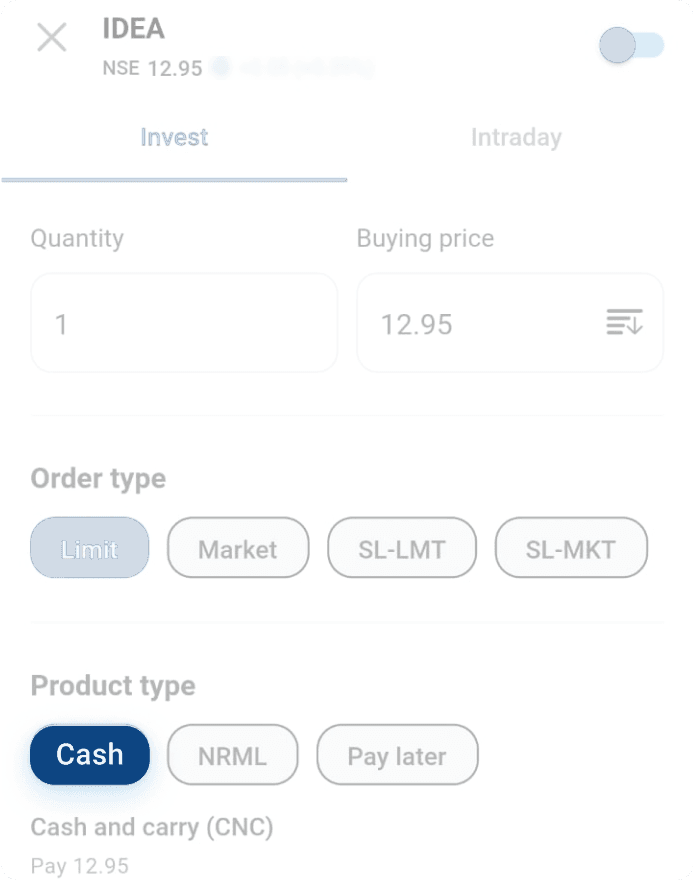
Now, hold the stocks for however long you wish with the 'Cash' product type. The positions will not be automatically squared off, and you can sell the stock from your holdings. Please note that with cash (or CNC), you need to pay the complete amount upfront
Directly Trade with Charts
The Trade from Charts feature provides holistic visibility into positions, open orders, market depth, and scrip details. With all information in one place, you can thoroughly analyse price movements and make informed decisions about market entry and exit points
Save Time with Floating & Sticky Order Form
Placing multiple orders is seamless in Neo — thanks to Floating and Sticky Order Form. While the Floating Order Form lets you reposition the order window through easy drag-and-drop, the Sticky Order Form ensures that the order window remains open so you can place multiple orders with the same input.
Make better Decisions with Insights from Daily P&L Calendar
Daily P&L Calendar chart is a recent addition to the Monthly Calendar chart on the Realised Gain-Loss report. It gives you insights into how well your trades performed on a day, the profit or less compared to your yearly trades, and more.
Explore Daily P&L CalendarOne click for Option Chain
As an option buyer, you can now enter, monitor, and exit the positions on a single screen. No need to switch between multiple tabs to use charts, option chain, and the order form.
Trade in BSE F&O Segment
BSE F&O allows investors to hedge, speculate, and enjoy better leverage. It comes enabled on Neo for three indices: Bankex, Sensex, and Sensex 50.